
3 November 2026
How to See Your Homeschool Week at a Glance
It's Thursday afternoon and the question arrives, as it does every week: have we actually done enough? You remember the maths on Monday. You think there was some reading. Wasn't there a nature walk? Without a record, the week blurs together, and so does the worry.
The simplest fix is to be able to see your week at a glance.
One row, Monday to Sunday
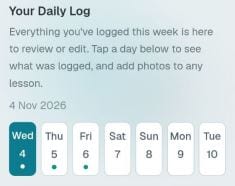
In Homeschool-HQ, each child has a week overview: a plain Monday-to-Sunday strip. A small dot sits under every day that has something logged. Days with no dot are days with nothing logged yet.
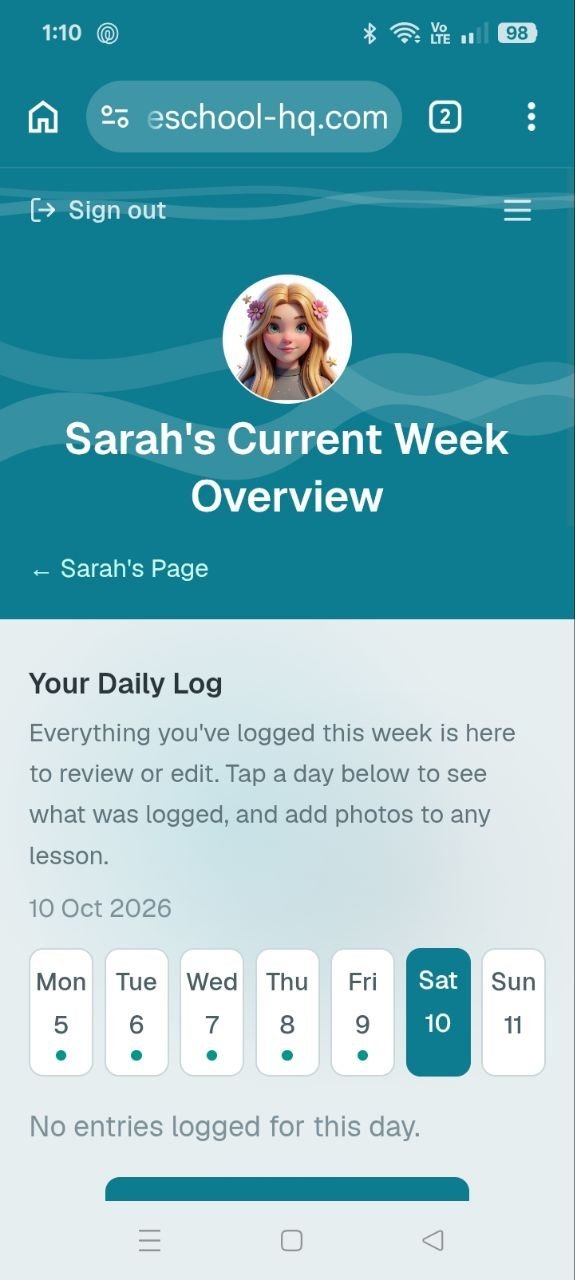
That's Sarah's week from the example account. Monday to Friday have dots. Saturday is selected, and the page says there is nothing logged for that day. You can tell where you stand in about two seconds, with no scrolling back through old notes to check what's already been covered.
Tap a day to see what happened
Tap any day and everything logged on it opens up underneath. From there you can:
- Read it back and check it says what you meant.
- Fix the wording if you logged it in a hurry.
- Add a photo to any lesson you forgot to snap at the time.
It is the same record you started with, just easy to review and tidy.
Fall behind on Tuesday? Catch up by Sunday.
Homeschool-HQ works on a weekly basis, not a daily one. A quiet Tuesday doesn't put you behind, and neither does a day out, a sick child or a busy afternoon.
A routine that works for a lot of families:
- Log as you go when it's easy, even one line per lesson.
- Glance at the strip on Friday. Any day without a dot is a day to think back on. Maybe there really was nothing, and that's fine. Maybe there was a good morning you hadn't written down.
- Catch up over the weekend. Add the missing lessons while you can still remember them.
What happens when the week ends
When you're happy with the week, you save a weekly report. The week then starts again fresh, and nothing is deleted: everything you logged stays saved and searchable. Over a term, those weekly reports stack up into a dated record of what you covered, week by week, without you keeping a separate diary.
The next post looks at the other half of the weekly picture: what each subject adds up to.
If you'd like to see this with your own child's lessons, you can get started here.