
3 November 2026
How to Keep Private Notes on Your Child's Progress
Some days your child nails it. Other days a whole lesson slides off them. A week later you can't remember which was which, and if a tutor, an occupational therapist (OT) or another specialist ever asks "how long has this been happening?", you're guessing.
Teachers keep a markbook for exactly this reason. At home, the notes usually live in your head.
Homeschool-HQ gives you a private place for them. You add them in a few seconds while you log a lesson, and over weeks they turn into a record you can search, look back over and print.
Step one: rate how the lesson landed
When you log a lesson, you tick the outcomes it covered. Then, for each one, you can rate how well your child understood it today. There are four ratings, each with a plain description so you're not left guessing what "3" means:
- Not yet understood: needed significant help; the concept is still very new or confusing.
- Slow but steady progress: got there eventually, but needed frequent prompts, reminders, or encouragement.
- Competent: understood the task and completed it with minimal, occasional help.
- Well understood: independent, confident, and could even explain it back to me.
Each rating has its own colour: red, orange, green and blue. The rating is optional, and it's your own judgement. Nobody else sees it.
Step two: three boxes for what you noticed
Under the rating there are three optional boxes, each with a prompt:
- The win: What made you proud about this? The app's example is "Sounded out a whole sentence by herself…"
- The challenge: What was tricky, or needs more practice? For example, "Still avoiding the writing part…"
- Extra Information: Anything worrying you or context that explains the issue. For example, "too many letter reversals, lack of sleep."
That last box is the one that matters most when you later sit down with a professional. A worry written down on the day, with a date on it, is much more useful than a worry remembered months later.
When you've picked a rating or written a win or a challenge, a Teaching guide button appears under it. Tap it and you'll see what's likely going on, with signs to look for and ideas to try, so a "not yet understood" turns into something you can act on tomorrow.
What builds up: your child's Progress and Observations
Every rating and note you add lands on one page, Progress and Observations. You open it from the card of the same name on your child's Full Picture page.
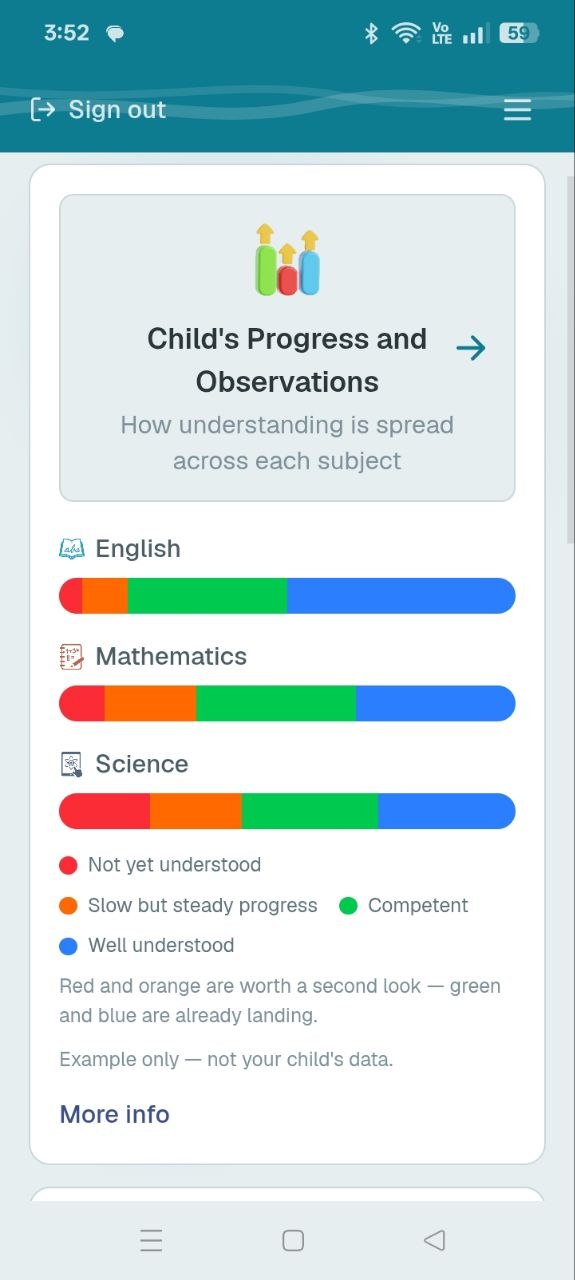
The bars on that card are only an example, and the card says so. Your own page fills in as you log.
Ratings by subject. Pick a date range and a subject. A bar shows how that subject's lessons are spread across the four ratings, and under it every topic is listed with a row of coloured dots, one for each time you rated it. Open a topic and you see each lesson: the date, the rating, what you wrote, and your win, challenge and extra information.
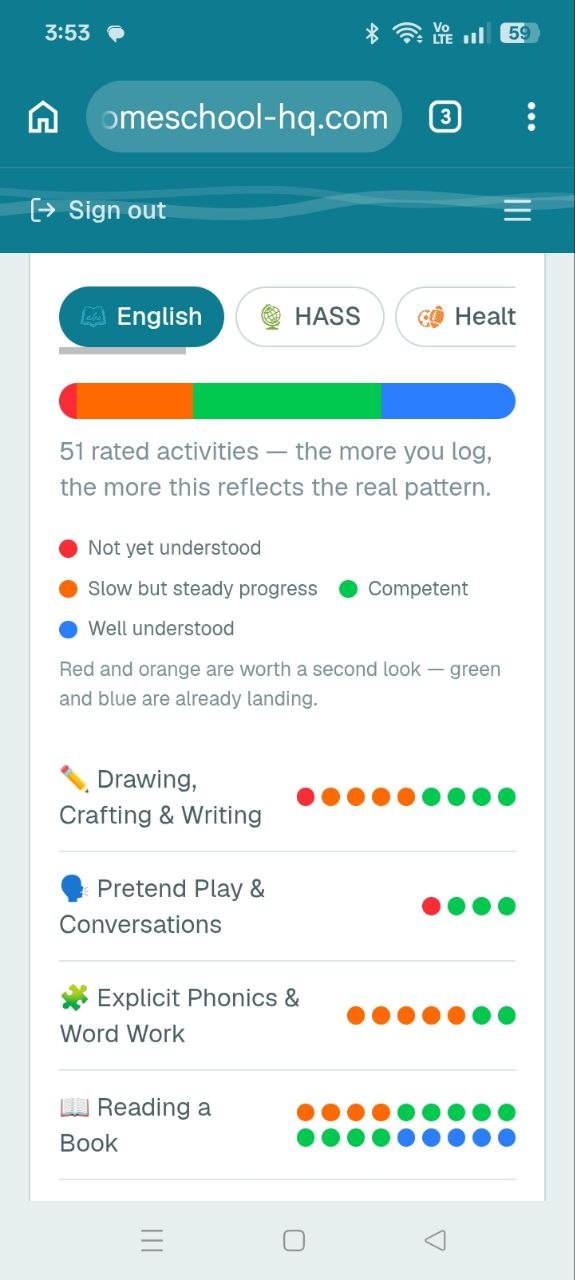
This is Sarah's English from the example account, with 51 rated activities. Look at the rows. Explicit Phonics & Word Work has five orange dots and two green. Drawing, Crafting & Writing has a red dot and four orange ones. Those are the topics to slow down on and try a different way. Reading a Book, with its green and blue dots, is already landing.
The page gives you one simple way to read it: red and orange are worth a second look, while green and blue are already landing. A single orange dot means nothing. A topic with a row of them tells you something.
Search by Ratings. Find every lesson you've marked with a particular rating, for this week, this month, or all time. Above the search, "the spread so far" shows how many lessons landed at each level.
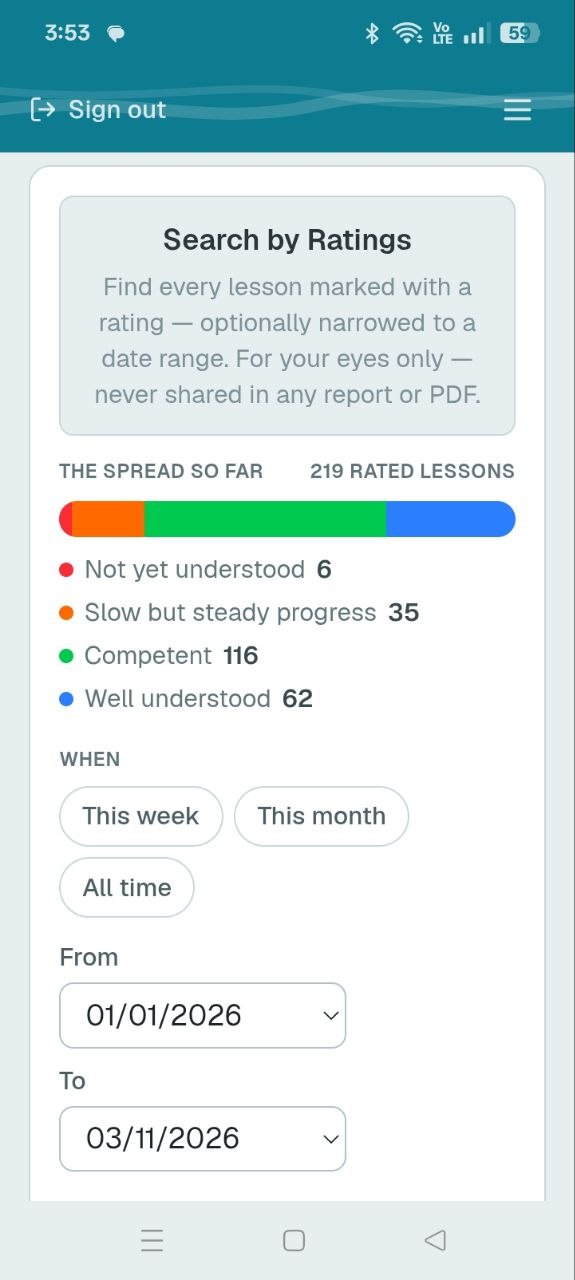
Sarah's example account has 219 rated lessons so far: 6 not yet understood, 35 slow but steady, 116 competent and 62 well understood. Choose a rating and the dates, and you get every one of those lessons, with what you wrote.
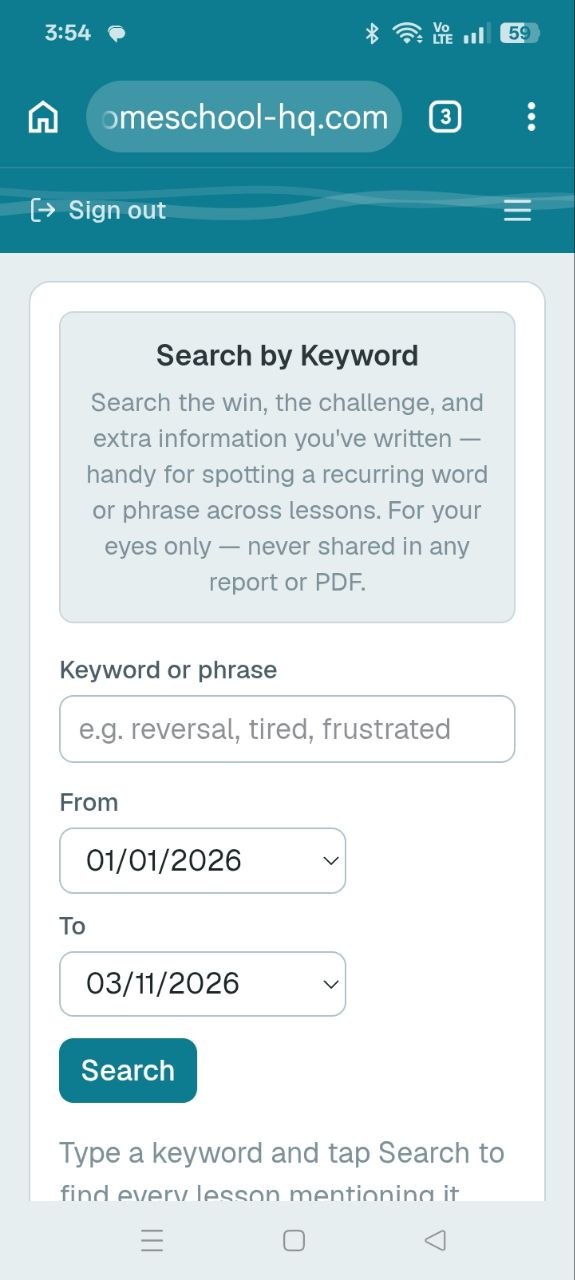
Search by Keyword. Search the win, challenge and extra information you've written. The app suggests words like reversal, tired or frustrated. If you've mentioned the same thing across a dozen lessons, you can see them all in one list, with dates.
Take it to an appointment
When you're ready, you can save a snapshot of a date range as a report, and then download it as a PDF. It's designed to print for a therapist, OT or specialist appointment, so you can bring specific, dated notes instead of trying to recall the last term.
Private by design
These notes are only for you. They never appear in a compliance report or PDF made for a registering authority.
The one thing you can choose to share is a win, and a strong rating, as extra context in a Family Updates email. Even then it's only if you tick it, each time you write one. What didn't work, and anything you add in Extra Information, always stays private.
Using it sensibly
- Give it a few weeks. Three ratings are a hint. Thirty make a pattern.
- One bad day isn't a pattern. Look for what keeps coming back.
- It's your record, not a diagnosis. The notes show what you've seen, and the Teaching guide suggests teaching explanations, not medical ones. If the same struggle keeps showing up for six weeks or more, it's worth getting more support, such as your GP.
- Early support is not a failure. Noticing something early is the whole point of keeping notes.
Rating each outcome tells you what your child understands. If you'd like to see how they learn best, the Teaching Insights tags build that picture, and the progress per subject view shows what's been covered. The Learning Summary is the separate record for your registering authority, and it never includes any of this.
If you'd like a private record of how each lesson went, you can get started with Homeschool-HQ here.